 Images to Text
 Image to Doc
 Image to Excel
 Image Ocr Text
 Handwriting to Text
 Scan image to Text
 Compress Image
 Image Converter
 Crop Image
 Resize image
 Rotate image
 Background Remover
Image Cropper
or drop files here
Precision Cropping
Precisely select cropping areas through an intuitive interface, supporting custom sizes and ratios to meet various design needs.
Perfect Transparency
Fully maintains PNG transparency and alpha channels, ensuring the quality of your cropped images remains uncompromised.
Instant Processing
All operations are completed in your browser, with no waiting for uploads or downloads, delivering instant results.
How to Use Our PNG Cropping Tool
Select File
Upload a PNG image file from your device, with drag-and-drop support for quick and easy operation.
Adjust Crop
Use the intuitive interface to select your desired area, adjusting size, position, and ratio as needed.
Save Results
Download your cropped PNG image with one click, maintaining original quality and transparency.
Why Choose Our PNG Cropping Tool
Completely Free
All features are provided free of charge, with no hidden fees, and no need to register an account or provide personal information.
Privacy Protection
All image processing is done locally in your browser, never uploaded to servers, ensuring your data remains secure.
High-Quality Output
Cropped PNG images maintain original quality, with no compression loss and perfect transparency preservation.
Easy Operation
Intuitive user interface requiring no professional knowledge, complete cropping operations in just seconds.
No Installation Required
Completely web-based tool with no software downloads, saving device space and accessible anytime, anywhere.
Multi-Platform Support
Compatible with all major browsers and devices, including computers, tablets, and smartphones, for image cropping wherever you are.
PNG Cropping Applications
Social Media
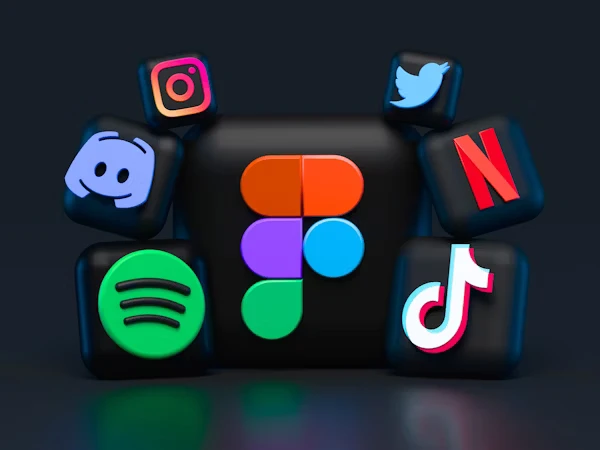
Crop perfect-sized avatars, cover images, and sharing pictures for various social platforms to enhance your online presence.

E-Commerce
Optimize product image displays, create uniform-sized product galleries, and improve the professionalism and conversion rate of your merchandise pages.

Graphic Design
Precisely crop design elements, maintain transparent backgrounds, and quickly integrate them into your creative projects to improve workflow efficiency.
Frequently Asked Questions
No. Our PNG cropping tool uses lossless processing technology to ensure that cropped images maintain their original quality, including transparency and details. All processing is done in your browser with no additional compression or quality loss.
Our tool supports processing PNG files up to 20MB in size. This limit is sufficient for most users' daily needs. If your file exceeds this limit, you can first use other tools for initial compression, then use our tool for precise cropping.
You don't need to worry about transparent backgrounds - our tool automatically preserves the transparent channels of PNG images. During cropping, the transparent areas of the image are fully preserved, ensuring the cropped image displays perfectly on any background.
In addition to basic cropping functionality, our tool also supports rotating images, adjusting crop ratios (such as 1:1, 4:3, 16:9, etc.), flipping images, and resizing images. We plan to add more features in the future, such as simple filters, brightness and contrast adjustments, and more.
No. Our PNG cropping tool is a pure web application that only requires a modern browser to use, with no need to install any plugins, extensions, or software. This makes it quickly usable on any device, including Windows, Mac, Linux, iOS, and Android systems.
Start Cropping Your PNG Images Now
Free, fast, high-quality PNG cropping tool providing professional solutions for your image processing needs. No registration required, use it immediately!
Start CroppingTechnical Specifications
Supported File Formats
- PNG (Portable Network Graphics) - Primary format
- PNG-8 (256 colors, indexed)
- PNG-24 (24-bit RGB color)
- PNG-32 (32-bit RGBA with alpha channel)
- APNG (Animated PNG) support for first frame
Tool Capabilities
- Maximum file size: 20MB
- Maximum resolution: 8000×8000 pixels
- Batch processing: Up to 10 images at once
- Precision: Pixel-perfect cropping
- Processing: 100% browser-based (client-side)
How Our PNG Cropping Tool Compares
Professional PNG Cropping Tips
Rule of Thirds
Visualize your image divided into 9 equal segments. Position key elements along these lines or at their intersections for more balanced and engaging compositions.
Maintain Aspect Ratios
Use standard aspect ratios (1:1, 4:3, 16:9) for professional results. Our tool includes preset ratios for social media, e-commerce platforms, and print materials.
Allow Breathing Room
Avoid cropping too tightly against your main subject. Maintain some space around important elements to create a more professional and visually appealing result.
 English
  Deutsch
  Español
  繁體中文
繁體中文  简体中文
简体中文  日本語
日本語  Dansk
Dansk  한국어
한국어  Ελληνικά
  Français
  Русский
  Italiano
  Português
  Nederlands
  العربية
  Türkçe
  Bahasa Indonesia
  Polski
  Українська
  Svenska
  Suomi
Suomi  Čeština
  Norsk bokmål
  Română
  Magyar
  Slovenčina