 Images to Text
 Image to Doc
 Image to Excel
 Image Ocr Text
 Handwriting to Text
 Scan image to Text
 Compress Image
 Image Converter
 Crop Image
 Resize image
 Rotate image
 Background Remover
Image Cropper
or drop files here
Precise JPG Cropping
Crop your JPG photos with pixel-perfect precision. Our tool maintains the full quality of your original JPG while allowing you to remove unwanted areas.
Smart JPG Compression
Optimize your JPG file size without degrading visual quality. Our intelligent compression algorithm reduces file size while preserving image details.
JPG Resizing
Resize your JPG images to exact dimensions while maintaining quality. Create perfect JPGs for social media profiles, e-commerce sites, or web banners.
Private & Secure
Your JPG images are processed entirely in your browser. They never reach our servers, ensuring complete privacy for your personal or sensitive photos.
Instant JPG Processing
Get results in seconds with our high-performance JPG processing. Crop multiple images quickly without waiting for server uploads or downloads.
JPG Quality Control
Fine-tune the quality of your JPG exports to balance file size and visual clarity. Choose higher quality for print or lower for web use to optimize loading times.
Why Choose Our JPG Cropper?
JPG Format Expertise
Our tool is specifically optimized for JPG/JPEG images, ensuring ideal compression and quality balance for photos. We understand the nuances of JPG compression algorithms.
No Quality Loss
Unlike many JPG editors that degrade your image with each edit, our cropping tool maintains original quality in the selected area, preventing the lossy compression issues.
Metadata Preservation
We preserve important EXIF metadata in your JPG files when possible, keeping valuable information like camera settings and copyright details intact after editing.
Custom JPG Presets
Easily save your favorite crop settings as presets for consistent results. Ideal for photographers who need specific dimensions for their portfolio or e-commerce managers requiring uniform product images.
Intuitive User Interface
Our tool features a simple, intuitive interface that makes JPG cropping accessible to everyone. No technical skills required - just upload, crop, and download with a few clicks.
No Watermarks or Hidden Fees
Unlike many online image editors, we never add watermarks to your cropped JPGs and we don't hide essential features behind paywalls. Get professional-quality results completely free.
How to Crop Your JPG Images
Upload JPG
Drag & drop your JPG file into the upload area or click to browse your files. We support all JPG/JPEG variants.
Crop Area
Adjust the selection area to crop exactly the part of the JPG you want to keep. Use preset ratios or set custom dimensions.
Set JPG Quality
Choose your preferred JPG quality level to balance file size and image clarity based on your specific needs.
Download JPG
Save your cropped JPG image to your device with optimized settings for web or print use.
Professional JPG Cropping Tips
JPG Quality Balance
For web images, a JPG quality setting of 75-85% often provides the best balance between file size and visual quality. This can reduce file size by 50-70% with minimal visible difference.
Social Media JPG Sizes
Use these optimal JPG dimensions for social platforms: Instagram profile (320x320px), Facebook cover (851x315px), Twitter header (1500x500px), LinkedIn banner (1584x396px).
JPG vs PNG Usage
Choose JPG for photographs and complex images with many colors. For graphics with text, logos, or images needing transparency, consider PNG format instead for better quality.
Minimize JPG Re-saving
Each time you save a JPG, it undergoes compression that slightly degrades quality. Crop and make all edits in one session to maintain the highest possible quality.
JPG File Size Reduction
Cropping unnecessary parts of your JPG images not only improves composition but significantly reduces file size, making your website load faster and saving storage space.
JPG Background Removal
For product photos, crop tightly around the subject to remove distracting backgrounds. This creates a cleaner look and allows your JPG to integrate better with website designs.
JPG Cropping: Frequently Asked Questions
When you crop a JPG using our tool, the quality of the remaining portion is preserved. However, the resolution (total pixel count) will naturally be lower since you're removing parts of the image. Our tool maintains the full quality of the selected area without adding additional compression artifacts, which can happen with lower-quality JPG cropping tools.
JPG (or JPEG) is ideal for photographs and complex images with gradients because it uses lossy compression that works well with natural images. The format can represent millions of colors while maintaining relatively small file sizes. Unlike PNG or GIF, JPG can compress photographs to a fraction of their original size while still looking good to the human eye. This makes JPG perfect for web use, social media, and email sharing where file size matters.
Our JPG cropper makes it easy to crop to exact dimensions. First, select the "Custom Size" option from the aspect ratio dropdown. Then, enter your desired width and height in pixels (e.g., 1200x628 for a Facebook shared link image). The crop area will automatically adjust to match these proportions. You can then position this crop area over the part of your image you want to keep, and our tool will create a JPG with exactly those dimensions.
The ideal JPG quality setting depends on your needs. For web images and social media, a quality setting of 75-85% typically provides the best balance between file size and visual quality. For professional printing, use 90-100%. For email attachments or when storage space is limited, 60-70% may be sufficient. Our tool allows you to preview different quality settings so you can see the effect before downloading your cropped JPG.
No, currently our tool does not support batch processing for multiple JPG images. You'll need to crop each JPG file individually, which allows you to give each image the specific attention it needs for perfect cropping. We're considering adding batch processing in a future update, but for now, each image must be processed separately.
Our JPG cropper can handle files up to 50MB in size, which covers most digital camera and smartphone photos. For extremely large JPG files from professional cameras, you may want to resize them first before detailed cropping. Since all processing happens in your browser, the practical limit depends on your device's memory and processing power.
JPG uses a lossy compression algorithm that works by dividing the image into small blocks and simplifying the color information within each block. When you crop a JPG and save it again, these blocks are reprocessed, which can sometimes introduce new compression artifacts. Our tool minimizes this issue by using high-quality processing algorithms that preserve detail in your cropped area. For critical work, we offer a high-quality setting that minimizes compression artifacts.
Absolutely! Our JPG cropper is fully responsive and works on smartphones and tablets. The touch interface is optimized for mobile use, allowing you to pinch-zoom, drag to position, and precisely crop your JPG images on any device. This makes it perfect for quickly editing photos taken on your phone before sharing them to social media or sending via messaging apps.
What Users Say About Our JPG Cropper
I manage social media for multiple clients and need to crop dozens of JPG images daily. This tool has saved me countless hours with its easy-to-use interface and preset social media dimensions. The JPG quality is excellent even after cropping.
As a professional photographer, I'm very particular about JPG quality. This cropper maintains the integrity of my photos while allowing precise adjustments. I especially appreciate that it preserves my EXIF metadata.
I run an e-commerce store with hundreds of product images. Being able to quickly crop and optimize JPGs without losing quality has improved my site's loading speed dramatically. The ability to maintain consistent product image dimensions is invaluable.
JPG Cropping Use Cases

Professional Networking
LinkedIn Profile Picture
Professional headshots for LinkedIn require careful cropping to maintain a polished appearance. The ideal JPG should be cropped to focus on the face and shoulders, with proper positioning to ensure visibility in both the circular thumbnail and larger profile view.
Web Design
Website Header Images
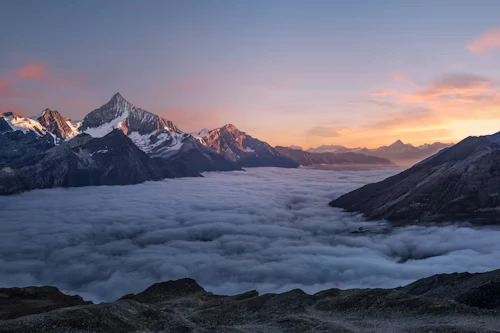
Website headers require specifically cropped JPG images that display well across different device sizes. The challenge is maintaining visual impact when the image is viewed on everything from mobile phones to widescreen monitors.
Ready to Crop Your JPG Images?
Join thousands of photographers, designers, and marketing professionals who trust our free JPG cropping tool for perfect results every time.
Crop Your JPG Now English
  Deutsch
  Español
  繁體中文
繁體中文  简体中文
简体中文  日本語
日本語  Dansk
Dansk  한국어
한국어  Ελληνικά
  Français
  Русский
  Italiano
  Português
  Nederlands
  العربية
  Türkçe
  Bahasa Indonesia
  Polski
  Українська
  Svenska
  Suomi
Suomi  Čeština
  Norsk bokmål
  Română
  Magyar
  Slovenčina