
Upload a person photo
Choose a clear, full-body photo. Keep the face, pose, and background; the AI clothes swap only changes the outfit.
Upload a person photo and one garment. See the try-on in seconds.
Saved only in this browser. History is kept for 15 days.
Generating try-on...
This AI clothes changer runs in your browser. There is nothing to install, and you do not need design experience.
Upload a photo, choose an outfit, and generate a new look. The steps are easy for a first try, and fast enough if you want to test many outfits.
If you can upload a photo, you can restyle the full outfit on a computer or on your phone.
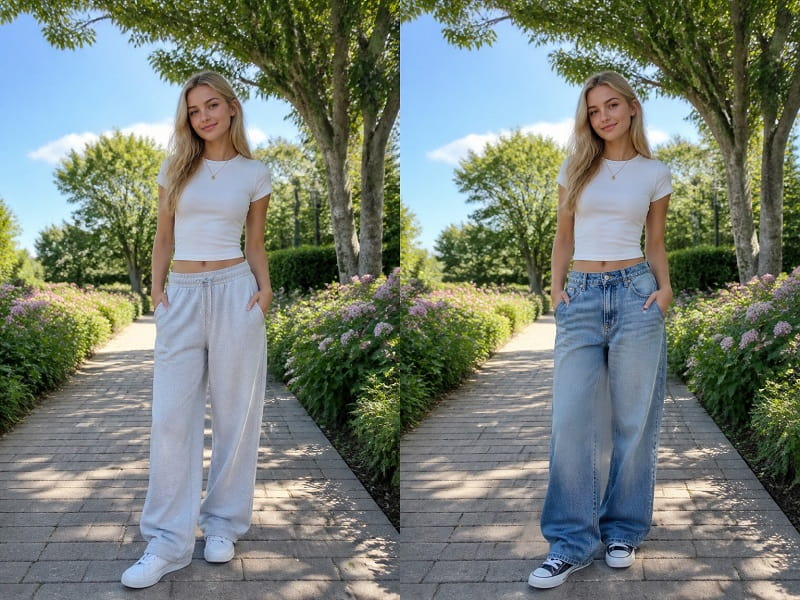
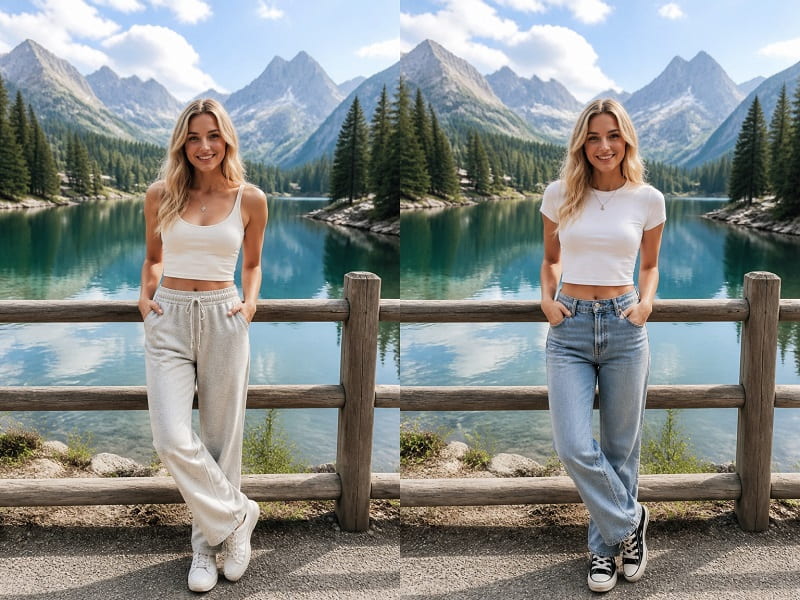
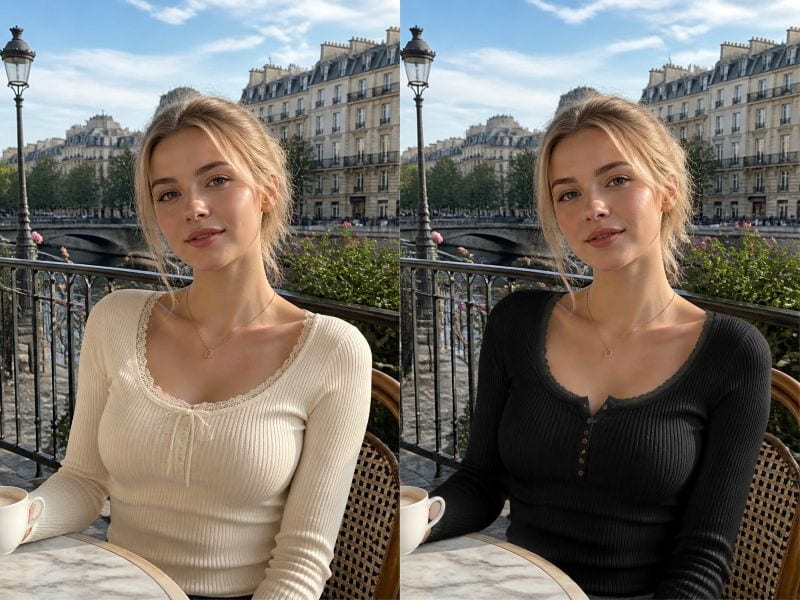
Most tools change one item and leave the rest looking unmatched. This AI clothes swap replaces the whole look in one pass: top, bottom, shoes, and accessories, all fitted to the same body and pose.
Upload one photo, choose a new outfit, and get a fully restyled image instead of a half-finished result.
The tool reads how the person is standing and places each piece where it belongs, so the complete look holds together like a real outfit.
Use this free online virtual try-on in three steps. No Photoshop and no app to install.
Choose a clear, full-body photo. Keep the face, pose, and background; the AI clothes swap only changes the outfit.
Add one garment or outfit photo. Tops, dresses, pants, shoes, and accessories in that image become the new look.
Click Generate to see the virtual try-on. Download the result, or try another outfit on the same photo.
Try a new outfit on a photo before you buy, post, or shoot. The face and scene stay the same.
Preview a dress, jacket, or full outfit on your own photo. A quick virtual try-on shows how the clothes fit your body and pose.
E-commerce teams can restyle the same model photo with a new outfit, without a reshoot. Keep identity and background, swap only the clothes.
Create outfit ideas for Instagram, TikTok, or a style blog. Change clothes in a photo in the browser and download a ready-to-share image.
Stylists and shoppers can compare looks on one person photo. Test tops, shoes, or a complete outfit without booking a studio.
Start with a sharp photo of one person. Show the whole body and the current outfit. The AI can only fit clothes to what it can see, so a clear, front-facing shot gives the cleanest result.
Even, natural light helps the tool match how fabric should look. Harsh shadows or a dark photo can make the new clothes look flat once they are placed on the body.
Motion blur and steep camera angles make it harder to drape clothes. A steady, straight-on pose helps the top, bottom, and shoes land where a real outfit would.
If you upload your own garment photo, shoot the item clearly on a plain background so the shape and texture come through. Try one outfit, check it at full size, then change the source photo if a detail looks off. That usually helps more than generating the same image again.
Yes. The AI clothes swap works on full-body shots and replaces the complete outfit: top, bottom, shoes, and accessories. Pose and body proportions stay natural. For the best result, use a clear photo where the whole body is visible.
No. The AI clothes swap only replaces the clothing. Your face, pose, and background stay the same as in the original photo.
Yes. You can upload a photo of the garment you want to try. Use a clear shot on a plain background so the shape and texture come through cleanly.
Yes. It runs in the browser, so the same clothes changer works on iPhone, Android, and desktop. There is no app to install. Upload a photo from your camera roll, pick an outfit, and download the result.
You can try it with the daily free quota. Paid generations use credits after the quota is used.
Results stay in this browser for 15 days. We do not save your photos on our servers.
 English English
 Deutsch
 Español
 繁體中文
 简体中文
 日本語
 Dansk
 한국어
 Ελληνικά
 Français
 Русский
 Italiano
 Português
 Nederlands
 العربية
 Türkçe
 Bahasa Indonesia
 Polski
 Українська
 Svenska
 Suomi
 Čeština
 Norsk bokmål
 Română
 Magyar
 Slovenčina