
Fast results
Most edits finish in seconds, with no software to install.
Remove unwanted objects from your photos with AI instantly! Easily erase people, text, watermarks, or blemishes online for free. Get clean, naturally restored images in one click.
or drop one image here
JPG, PNG, WebP
Before & after
Select a person in the photo, and AI removes them while filling the area with matching scenery.
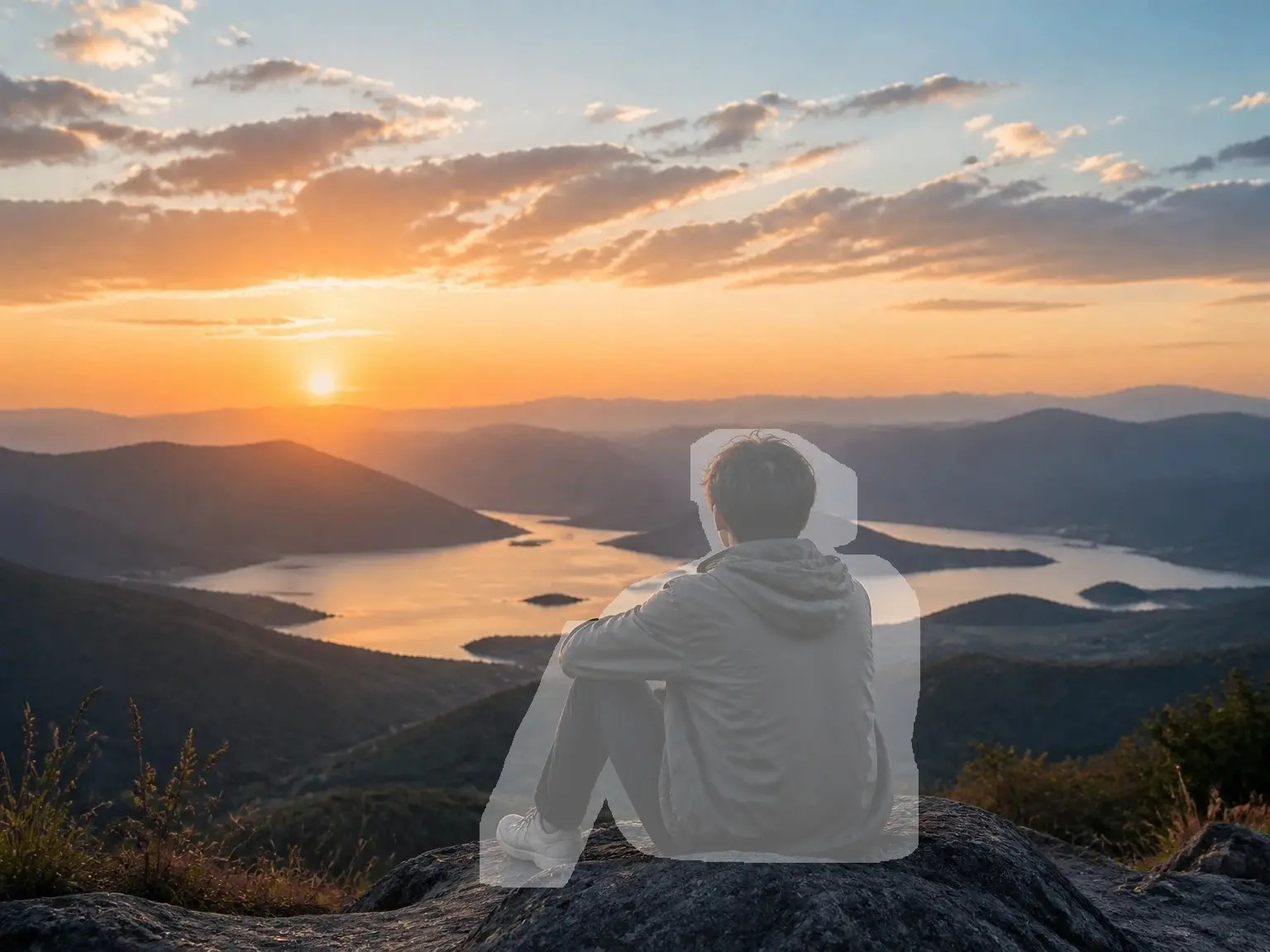
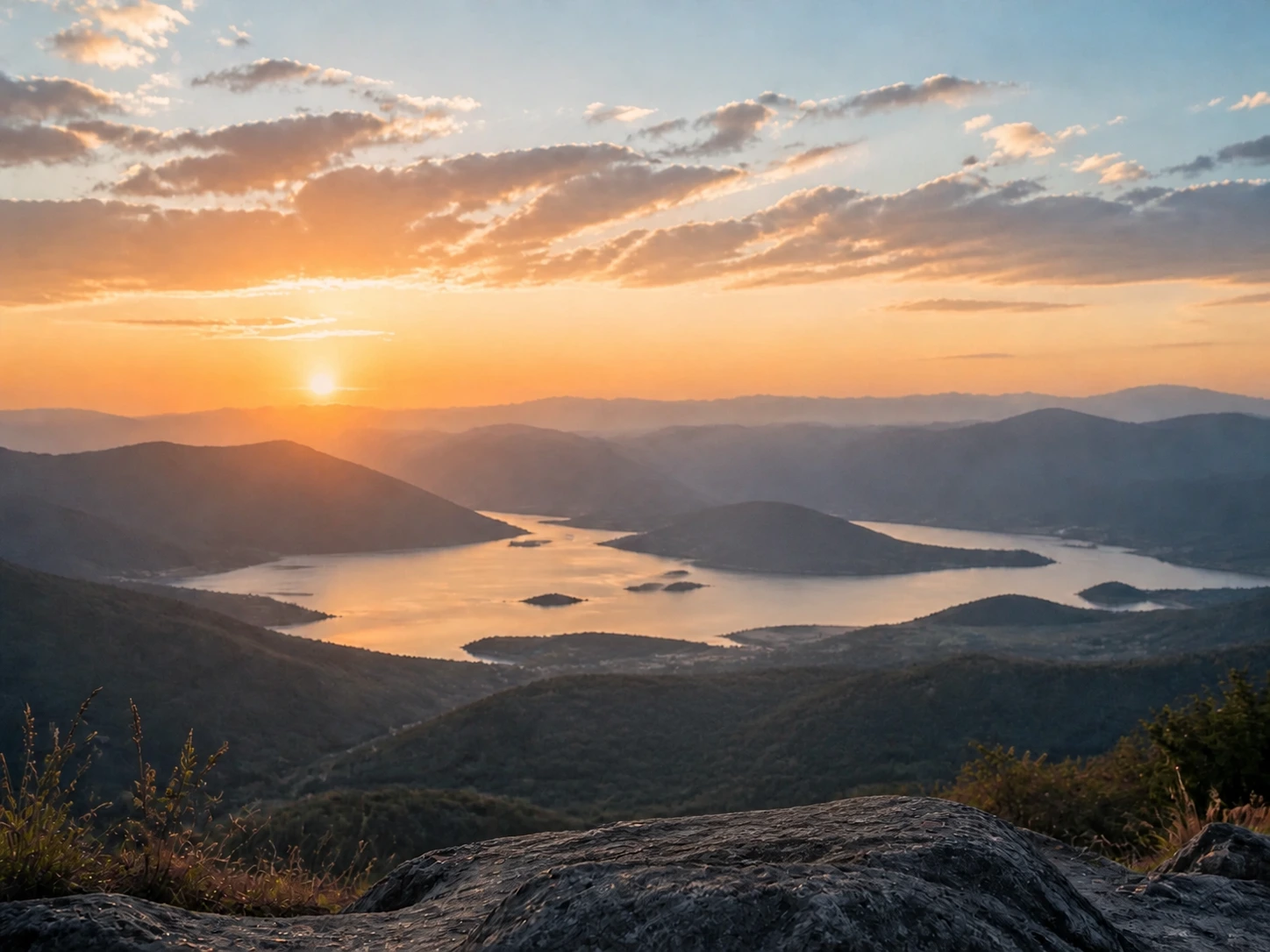
Before & after
Select an unwanted object, and AI fills the area to match the surrounding background.


Before & after
Remove people, clutter, or other distractions from a busy background to keep the main subject clear.


Before & after
Keep the person you want and remove other people from the scene. AI fills the selected areas to match the surrounding background.
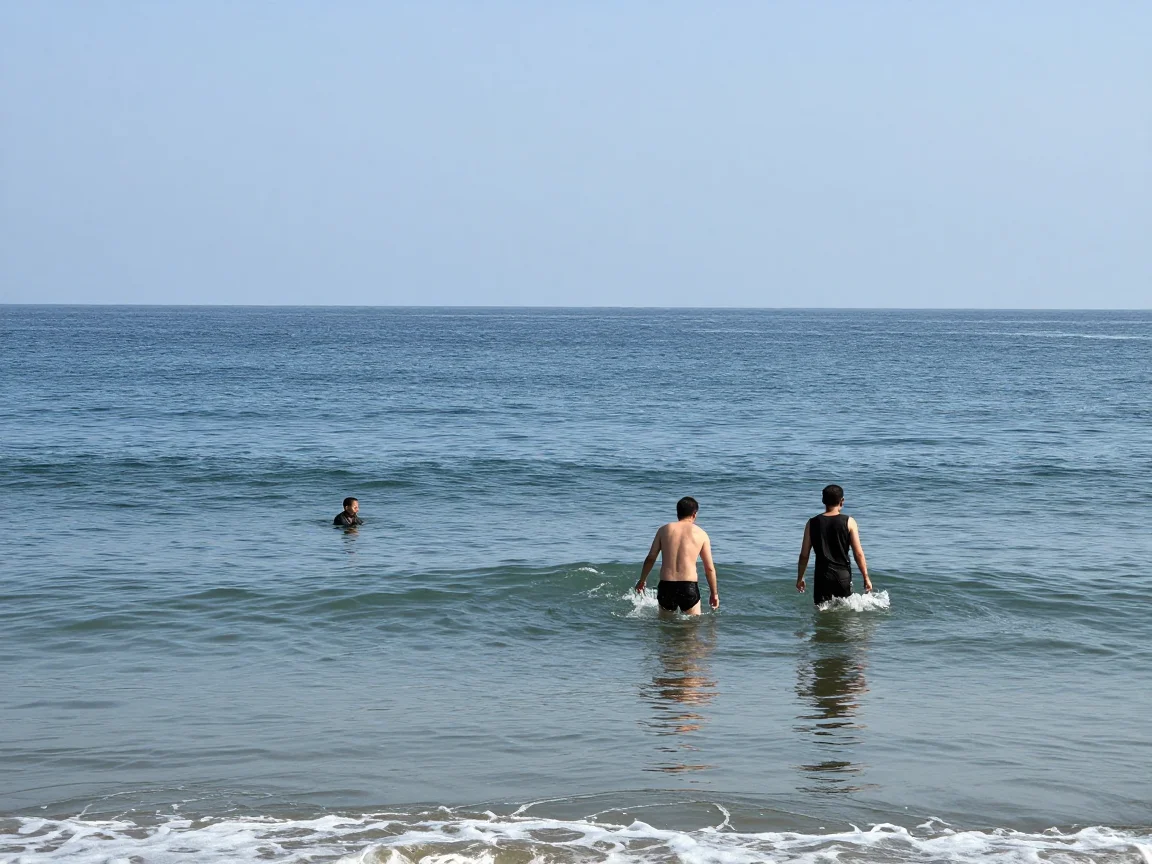
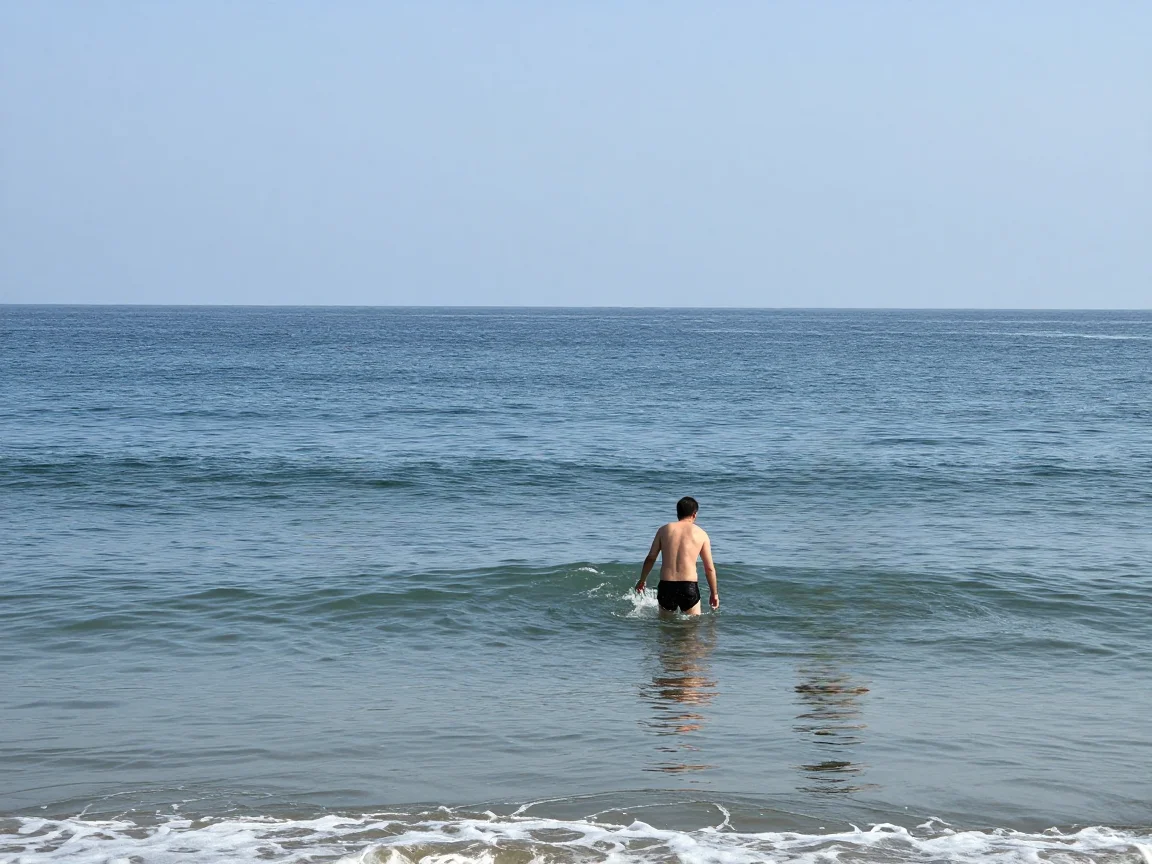
Most edits finish in seconds, with no software to install.
A fully responsive editor that works smoothly on phones, tablets, and desktop computers.
Undo brush strokes, adjust the brush size, and process the image again when needed.
Choose a JPG, PNG, or WebP photo from your device.
Use the brush to mark the people, objects, or other areas you want to remove.
Click Start to process the selected area, then download the edited PNG.
Remove people, objects, text, and other distractions from your photos.
People in the background, passers-by, or extra people in a group photo.
Parked cars, bins, road signs, and other objects that distract from the main subject.
Cables crossing the sky or appearing in building photos.
Date stamps, logos, watermarks, and other unwanted text. Only remove marks you have the right to edit.
Spots on a studio backdrop, scuffs on a floor, or small marks on product surfaces before a listing photo goes live.
Tripods, brackets, or reflector stands visible in a photo.
People, vehicles, signs, power lines, stains, logos, and many other unwanted objects. Results may vary for large objects that cover much of the photo.
Every visitor gets a shared daily free quota, so you can try the tool without an account. When the quota runs out, sign in and use credits to continue removing objects.
Credits are charged only after the AI finishes and your result is ready. If processing fails, nothing is deducted.
JPG, PNG, and WebP files up to 30 MB are supported. Very large photos are resized before processing to help improve speed.
Yes. Photos are deleted automatically after 24 hours. We do not share or publish your images.
You keep the rights to your images and to the results created from them.
 English English
 Deutsch
 Español
 繁體中文
 简体中文
 日本語
 Dansk
 한국어
 Ελληνικά
 Français
 Русский
 Italiano
 Português
 Nederlands
 العربية
 Türkçe
 Bahasa Indonesia
 Polski
 Українська
 Svenska
 Suomi
 Čeština
 Norsk bokmål
 Română
 Magyar
 Slovenčina